When Time-Zone Rules Change: Check the Data Behind the Converter
Time-zone conversion depends on civil rules, and governments can change those rules. A converter can be internally consistent yet use data that has not received a recent update. Check the installed data context when a result conflicts with an official announcement.
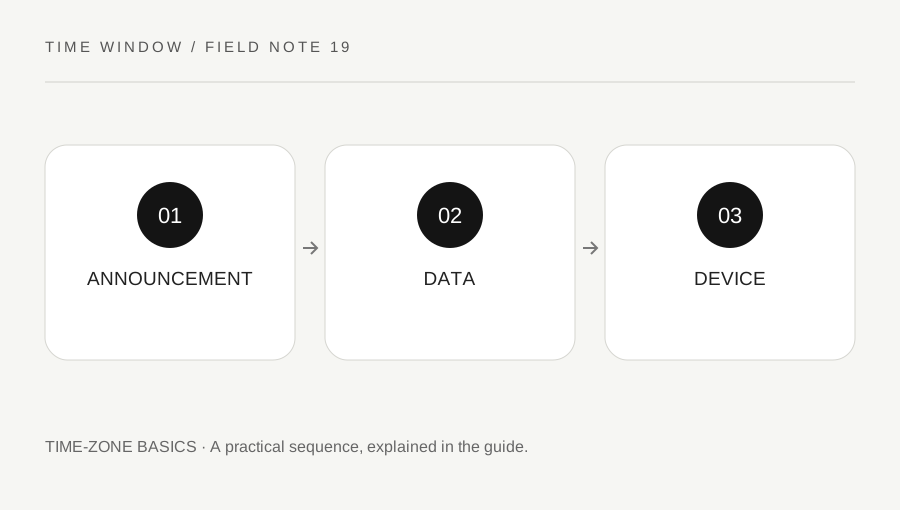
Original explanatory diagram. Numerical examples in this guide illustrate the reasoning; they are not a claim of hands-on testing.
Understand the update chain
IANA maintains the Time Zone Database with location-based histories and rules. Software and operating-system vendors distribute data derived from that work to end users. An announcement, a database release and an update reaching your particular device are separate stages. They do not necessarily happen simultaneously.
Our browser-based converter uses Intl date-time formatting and the rules available to that browser. It does not download a new database for each calculation. This keeps the tool local and lightweight, while making the device's installed data part of the result. A recently changed jurisdiction deserves an explicit cross-check.
Compare the same complete input
When two tools disagree, first confirm the exact local date, clock time, source zone and destination zone. A different representative location or a date on the other side of a transition can explain the mismatch without any stale data. Check whether the local reading is skipped or repeated as well.
Then compare updated official information for the jurisdiction and the software's data or release notes where available. Do not assume the website with the most polished appearance has the newest rules. Preserve both results and their input details so support teams can reproduce the difference.
Use a future-event scenario
Suppose a location announces a change affecting a meeting scheduled several months ahead. A saved invitation created before the announcement may still display using older rules on one device. A newer device can show a different local hour for the same stored instant. The discrepancy needs a rule and event-intention check.
Ask whether the organizer intends to preserve the original global instant or the local wall-clock hour after the change. Those intentions can now diverge. The organizer may need to update the authoritative event, not merely tell participants to ignore their calendars. Confirm the actual appointment and distribute a proper calendar update where appropriate.
Keep historical and future limits visible
Historical timekeeping can involve complex local changes and incomplete records. This tool's practical conversion range is 2000 through 2099, rather than a claim to reconstruct every historical local clock. Future dates follow current installed rules and cannot predict future legislation.
For important schedules, verify the organizer's current instructions closer to the date. Updating software improves the data position but does not remove the need for a confirmed event intention. A date-time result with seconds displayed is not a guarantee that every future administrative decision is already known.
Document and communicate a correction
Keep the confirmed source, affected dates and intended scheduling anchor with any correction. If an organization maintains many events, use its supported update process and inspect representative occurrences afterward. Avoid creating private duplicate series that no longer receive official changes.
Our converter reports missing and repeated local readings, but it cannot determine whether your device has every latest rule or contact an event host. Use its UTC references to make a discrepancy clear, then resolve the governing rule and appointment intention. Transparent inputs and a known data source make correction much easier than arguing over an isolated clock screenshot.
When reporting a discrepancy, include the browser and operating-system versions, calculation date and full input. Do not include private invitation links. A reproducible sanitized example is easier to investigate than a screenshot of an isolated local hour. Keep the organizer’s confirmed scheduling intention alongside that technical example.
A practical checklist
Tick items for your own use. This checklist is saved only in this browser.
Questions that come up
Does this tool fetch IANA updates live?
No. It uses the rules available through the browser’s Intl implementation. Device and software updates distribute data, so recent civil-rule changes need a separate cross-check.
Can a future result later change?
Yes. Governments can change rules, and updated data can alter future local displays. Confirm consequential schedules with the organizer and relevant official information.
Does disagreement always mean stale data?
No. Different input dates, zones, ambiguity choices or event meanings can also explain it. Compare those details before investigating database versions.
References & scope
Background references checked on 18 October 2026. The examples and practice exercises are original editorial explanations, not copied procedures or professional advice.